GATE CSE ISE1.0.2
Publisher Description
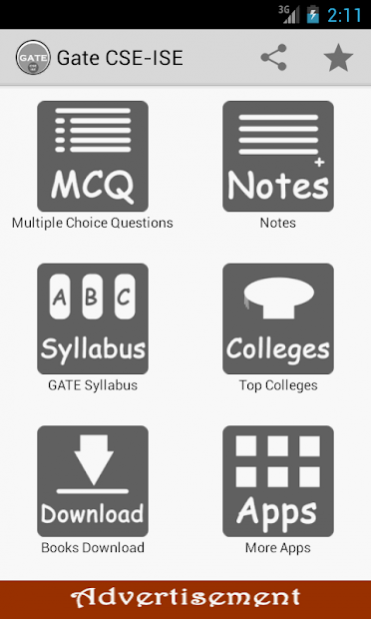
‘GATE CSE ISE’ android application contains multiple choice questions (MCQ) & answers which help students & professionals in refreshing the basic concepts and it acts as handy guide for preparing competitive computers science exams.
App contains:
1. Multiple Choice Questions
2. Notes
3. GATE Syllabus
4. Top Engineering Colleges
5. Link to Download Useful Books
App contains MCQ’s on following subjects:
1.C Programming
2.Computer Architecture
3.Computer Fundamentals
4.Computer Organization
5.D B M S
6.Digital Electronics
7.Object Oriented Programming
8.Operating Systems
Each question has answer & supporting explanations.
Application is useful for preparation of competitive exams like GATE, IBPS, ISRO & other entrance exams.
We are in process of adding more questions in our next updates.
Kindly send your suggestion & feedback to venugopalmn1988@gmail.com
About GATE CSE ISE
The company that develops GATE CSE ISE is VENUGOPAL M NANJAPPA. The latest version released by its developer is 1.0.2. This app was rated by 2 users of our site and has an average rating of 4.0.
To install GATE CSE ISE on your Android device, just click the green Continue To App button above to start the installation process. The app is listed on our website since 2015-02-01 and was downloaded 115 times. We have already checked if the download link is safe, however for your own protection we recommend that you scan the downloaded app with your antivirus. Your antivirus may detect the GATE CSE ISE as malware as malware if the download link to com.venugopalmn.Gate.CSEISE.mcq is broken.
How to install GATE CSE ISE on your Android device:
- Click on the Continue To App button on our website. This will redirect you to Google Play.
- Once the GATE CSE ISE is shown in the Google Play listing of your Android device, you can start its download and installation. Tap on the Install button located below the search bar and to the right of the app icon.
- A pop-up window with the permissions required by GATE CSE ISE will be shown. Click on Accept to continue the process.
- GATE CSE ISE will be downloaded onto your device, displaying a progress. Once the download completes, the installation will start and you'll get a notification after the installation is finished.
Program Details
System requirements
Download information
Pricing
Version History
version 1.0.2
posted on 2015-02-01
Minor Bug Fix.
